Your music on the Mac, in full quality
Tyche plays the music you own, lossless and hi-res included. It finds the albums on your Mac and your drives, and keeps them in step with your iPhone and iPad.
Free, with or without an account. Requires macOS 12 or later.
Library
HomeAlbumsArtistsGenresFoldersSongsPlaylists
FavoritesFive starsLate nightSunday morning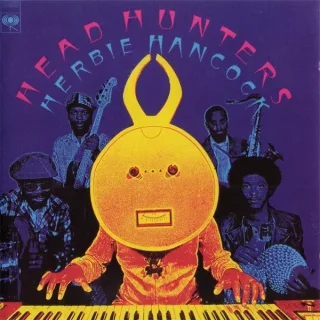
- 2Watermelon ManHerbie Hancock6:29
- 3SlyHerbie Hancock10:15
- 4Vein MelterHerbie Hancock9:09
Watermelon ManHerbie Hancock2:486:29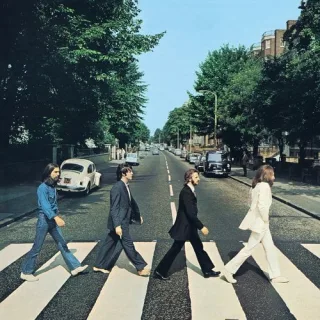
Each song at its own sample rate
Tyche plays FLAC, ALAC, WAV and AIFF as they are, 24-bit hi-res included. Turn on “Match the song’s sample rate” and your DAC follows each song: a 96 kHz album plays at 96 kHz, a CD rip at 44.1 kHz.
- Gapless playback
- Live albums and DJ mixes flow on without a gap, to the exact sample. Prefer a blend? Turn on a 5-second crossfade instead.
- Equalizer and crossfeed
- Ten bands from 32 Hz to 16 kHz, 12 presets and your own. Crossfeed makes headphones sound more like speakers, in three levels.
- Even volume
- ReplayGain keeps songs and albums at the same loudness, without clipping. Songs without it are measured for you.
- AirPlay
- Play on AirPlay speakers and TVs, with your equalizer still on.
- Gapless playbackKeep albums flowing without a pause.
- CrossfadeBlend the end of one track into the next.
- Match the song’s sample rateYour Mac’s speakers, headphones or wired audio device play each song at its own quality.
- ReplayGainBalance the volume between songs automatically.
Come TogetherThe Beatles · Abbey Road192 kHz song · playing at 96 kHzThe same library on your Mac, iPhone and iPad
Your ratings, favorites, playlists and plays follow you from one device to the next. At home it’s free. With Premium it works anywhere.
At home, over Wi-Fi
Pair your iPhone or iPad with the Mac once. Send albums, artists or playlists across, exactly as they are, to play without a connection.
Use the iPhone as a remote for the Mac. Move what’s playing, with its queue, from one device to the other.
How sync worksAnywhere, from your cloud library
Upload your library from the Mac once. It plays on your iPhone, your iPad and in a browser, and a change shows everywhere within seconds.
It streams in high quality, and your original files are kept untouched. Tyche runs the cloud: no home server to buy or look after.
See plans and pricesIt starts from the folders you already have
On first launch, Tyche finds your Music folder. Add any other folder, on the Mac or on a drive, and your albums, artists and genres are there. Your files stay where they are.
- External drives
- Unplug a drive and its albums stay in your library, greyed out. They play again when it’s back. Network drives work too.
- New music
- Tyche checks your folders at launch. “Find new music” in Settings › Library adds what you copied in since.
- Folders view
- Browse your music the way it’s stored on disk, with Show in Finder.
- Recently removed
- Songs whose files you delete stay greyed out until you clean the album. Then they wait 30 days in Recently removed, with their ratings and plays.
Music folders
- MusicThis Mac · 1,642 albums
- BandcampThis Mac · 200 albums
- ArchiveExternal drive · Not connected
On Archive, until it’s back
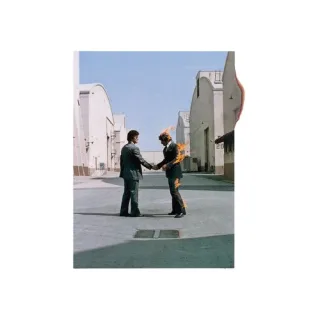 Wish You Were Here
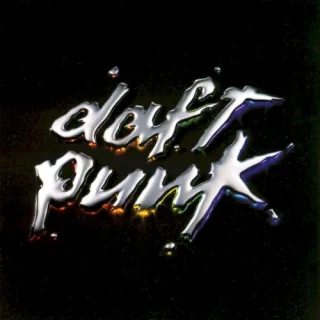 Discovery
 MOTOMAMI
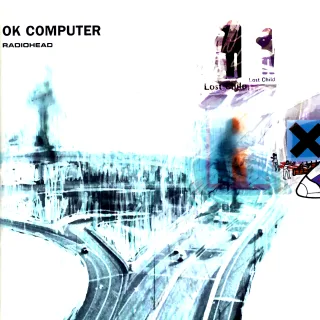 OK Computer
Recently removed · 3 items · kept for 30 days
Moving over from the Music app
Tyche brings in what you built in Apple Music: play counts, ratings, favorites, playlists and dates added. Your listening history comes with you, so statistics and weekly mixes start from your real habits.
- Song by song
- Each song is matched to the same song in your Tyche library. A preview shows what matched before anything comes in.
- Apple Music stays as it is
- Tyche only reads it. Import again later and each play counts once; ratings you set in Tyche are kept.
- Playlists too
- Your playlists come over with their songs, smart playlists included.
Here’s what Tyche found
- 4,812
- songs matched
- 38
- playlists
- 61,207
- plays
- 1,904
- ratings
- 212
- new favorites
Apple Music stays as it is. Run this again later and each play counts once.
Not nowBring it inA player in the menu bar
Close the window and keep listening from the menu bar, the Dock or the mini player. Media keys and headphone controls work too.
- Keyboard
- Space plays or pauses, the arrow keys seek and change the volume, M mutes.
- Siri and Shortcuts
- Ask Siri to play a song, album, artist or playlist, or to rate the song playing. Needs macOS 13 or later.
 NightsFrank Ocean · Blonde1:125:07
Also in the Mac app
Tools to keep a large library in order, and to find what to play next. Every feature has the rest.
Tag editor
Fix one song or a whole selection: capitalization, find and replace, track numbers, covers. Review every change before it’s saved, and undo it after.
Library health
Finds duplicates, missing covers, artist names written two ways and missing tags.
Smart playlists
Pick genres, artists, years, ratings or favorites. They play endlessly, in a Familiar, Balanced or Discovery mix.
Album details and covers
Looks up album details and covers up to 1200 px, and recognizes unknown songs by their sound. You pick each change.
Playlists from other players
Import and export .m3u playlists.
Lyrics
Synced lyrics highlight the current line as the song plays.
Tyche for Mac
- Requires
- macOS 12 or later. Siri and Shortcuts need macOS 13.
- Price
- Free. Premium adds a cloud library (plans).
- Plays
- FLAC, ALAC, WAV, AIFF, MP3, AAC, Ogg Vorbis and Opus.
- Hi-res
- Up to 24-bit, 384 kHz, with sample-rate matching for your DAC.
- Transitions
- Gapless, or a 5-second crossfade.
- Sound
- ReplayGain, 10-band equalizer, crossfeed for headphones.
- Sync
- With iPhone and iPad: free at home over Wi-Fi, anywhere with Premium.
- Cloud
- With Premium: upload once, stream in high quality, originals kept untouched. Downloads for offline listening: iPhone and iPad.
- Library
- Folders on the Mac, external drives and network drives.
- Also on
- iPhone and iPad, and in a browser with Premium. See every download.
Questions about Tyche on the Mac
Which Macs does Tyche run on?
Any Mac with macOS 12 or later. Siri and Tyche’s Shortcuts actions need macOS 13 or later.
How do I get my Mac’s music onto my iPhone?
Install Tyche on the iPhone and pair it with your Mac once. At home, on the same Wi-Fi, send the music across. It plays on the iPhone without a connection. With Premium, upload your library once and stream it anywhere. More about Tyche on iPhone and iPad.
Can Tyche replace the Music app?
For the music you own, yes. Tyche plays your files and brings over the plays, ratings, favorites and playlists you built in Apple Music.
Songs from the Apple Music subscription stay in the Music app. Songs bought on the iTunes Store are yours: add the folder that holds them and Tyche plays them.
Will Tyche move my music files?
Your music stays where it is. Tyche changes a file only when you edit its tags or apply album details, after you review the change, and you can undo it. When an album folder has no cover image, Tyche saves the cover from the songs beside them.
Can my music live on an external drive?
Yes. Add the folder on the drive like any other. When the drive is unplugged, its albums stay in your library, greyed out, and play again when it’s back. A network drive works the same way.
More answers in the FAQ.