Features: Everything Tyche does, from the sound to the cloud, in one place.
Your music, played as it was recorded
Lossless and hi-res files play untouched: FLAC, Apple Lossless, WAV and AIFF, as well as MP3, AAC, Ogg and Opus. Every sound setting is free.
Lossless and hi-res
3 features
- File formats
- FLAC, Apple Lossless, WAV, AIFF, MP3, AAC, Ogg Vorbis and Opus. Tyche plays each file as it is and never converts it.
- Mac, iPhone and iPad
- Hi-res
- Any resolution plays, up to 24-bit/384 kHz. With the equalizer flat and volume leveling off, the sound that leaves Tyche is the file itself, to within one 24-bit step.
- Mac, iPhone and iPad
- Sample-rate matching
- Tyche switches your DAC or your Mac’s own output to each song’s sample rate, so a 96 kHz song plays at 96 kHz when your DAC supports it. Your usual rate comes back when you quit. Works with USB, Thunderbolt and other audio interfaces.
- Mac
Between songs
2 features
- Gapless playback
- Songs join with no gap, so live albums, DJ mixes and classical works play as one. The join is exact to the sample for songs on your device, and near-gapless in the web app.
- Crossfade
- A smooth 5-second blend into the next song, for songs on your device and in the web app. Choose crossfade or gapless: turning one on turns the other off.
- Mac, iPhone, iPad and the web app on a computer
Equalizer and headphones
2 features
- Equalizer
- 10 bands from 32 Hz to 16 kHz, up to 12 dB up or down. 12 presets, from Bass boost to Spoken word, and your own under a name. It works on streams and AirPlay too.
- Crossfeed
- For headphones: a little of each side blends into the other, as with speakers in a room. Choose Light, Natural or Strong. When it’s off, the sound is untouched.
- Mac, iPhone and iPad
Volume leveling
2 features
- Volume leveling
- Songs play at a similar loudness, using the ReplayGain values in your files. A quiet song is raised only as far as it can go without distorting.
- Songs without values
- Tyche measures songs that have no ReplayGain values in the background, so they level too. Values in your files always come first.
- Mac, iPhone and iPad
Speakers and headphones
2 features · Mac, iPhone and iPad
- AirPlay
- Send music to AirPlay speakers and TVs. The equalizer and volume leveling stay on, and Tyche sets the speaker’s own volume.
- Bluetooth and wired
- Tyche plays through the output chosen in your system, Bluetooth included. Unplugging headphones pauses the music, and a Mac wakes from sleep paused.
Upload your music once. Play it everywhere.
With Premium, your music lives in your own cloud library and plays on every device and in the browser. Tyche runs the cloud, so there is no home server to buy, set up and look after, and nothing depends on your home internet staying on.
See plans and prices- MacUp to date
- iPhoneStreaming Abbey Road
- iPad12 albums kept offline
- Web appPlaying in the browser
Upload
3 features · Mac, iPhone and iPad
- Upload once
- Send your music from the Mac, iPhone or iPad app: your original files, in any format. Uploads pick up after an interruption and wait for Wi-Fi unless you allow mobile data.
- Originals kept
- Your files are stored exactly as you uploaded them, and the same file is never stored twice.
- When storage is full
- Nothing is deleted. New music stays on your device until there is room.
Listening
3 features
- High-quality streaming
- Your cloud library streams in high quality on every device. Your original files stay untouched, and your storage counts only them.
- Fast starts
- A song starts as soon as you tap it, and the next ones are ready ahead. After a short network drop, the music waits and carries on.
- Web app
- Play your cloud library in any recent browser, with your playlists, ratings, equalizer, statistics and party mode. Install it as an app if you like.
- Web app
Offline on iPhone and iPad
3 features · iPhone and iPad
- Instant starts
- The first seconds of the songs you’re likely to play wait on the device, so they start at once.
- Kept songs
- Songs you play stay on the device for next time. Choose how much space they use, from 1 to 10 GB.
- Downloads
- Download a song, an album or a playlist for the plane or the metro. A downloaded playlist follows its changes.
Plans and sharing
4 features
- Plans
- Solo or Duo (two people), with 100 GB, 500 GB or 1 TB shared by everyone on the plan. A year costs ten months.
- Invitations
- Invite people with a link or a code. They enter the code in Tyche, under Plans.
- Share my music
- On Duo, everyone keeps their own library, and everyone on the plan can listen to each other’s without changing it. Turn off “Share my music” any time. Nothing is shared outside the plan, and your listening history stays yours.
- Devices
- Up to 3 devices per account. A browser counts only once it plays or syncs, and a place frees up when you sign out or after 30 days unused.
The same library on your Mac, iPhone and iPad
Your ratings, playlists and plays follow you from one device to the next. Over your home Wi-Fi it’s free; with Premium it works anywhere.
One More Time
Daft Punk
One More Time
Daft Punk
 CarPlayCome Together
 SAOKORosalíaWidgetHome Screen
Over your Wi-Fi, free
4 features · Mac, iPhone and iPad
- Wi-Fi sync
- Pair your devices once on the same Wi-Fi. Music goes across exactly as it is, with no conversion, over a private, encrypted link.
- What syncs
- Ratings, favorites, playlists, smart playlists, tag edits, lyrics and listening history, both ways. Edits made on two devices are both kept.
- Choose what to send
- Pick albums, artists or playlists, down to single songs. You see the size against the free space on the other device, and Tyche remembers your choice.
- Transfers
- An interrupted transfer picks up where it stopped. On iPhone and iPad it carries on in the background, and an iPhone shows its progress on the Lock Screen.
Anywhere, with Premium
1 feature · With Premium
- Cloud sync
- Your library, playlists, ratings and history stay the same on every device and in the web app, wherever you are. A change shows on your other devices within seconds while Tyche is open.
From one device to another
2 features · Mac, iPhone and iPad
- Continue on another device
- “Continue on…” moves what you’re playing, with the whole queue, to another device. It picks up a couple of seconds before where you were.
- Remote control
- Control the music on your Mac from an iPhone, an iPad or another Mac: play, pause, skip, volume, or start an album or playlist.
A library that stays tidy as it grows
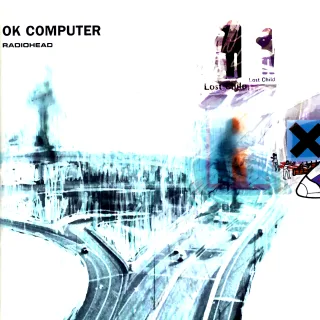
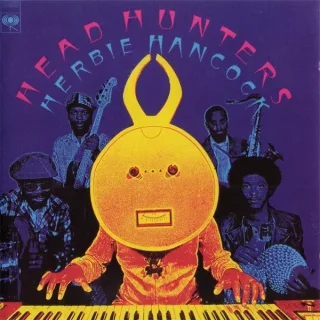
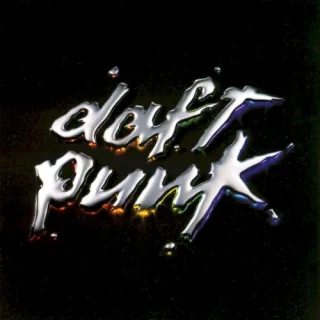
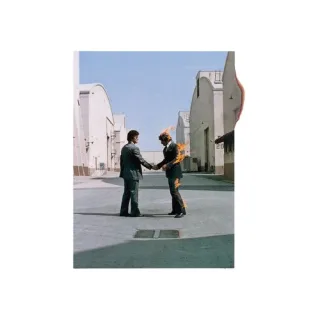
Choose your music folders and Tyche sorts albums, artists and genres, then helps you fix tags, covers and duplicates.




Your folders
6 features · Mac, iPhone and iPad
- Music folders
- Add as many folders as you like, on your device, an external drive or a network drive.
- Fast import
- On a Mac with an M4 chip, 5,000 songs import in under a second. Each launch picks up only the albums that changed.
- Find new music
- Adds the songs that are new to your folders. Your ratings and edits stay as they are.
- Drives that go offline
- Songs on an unplugged drive are greyed out, not removed. They come back with the drive.
- Recently removed
- What you remove waits 30 days with its ratings and plays. Restore it or remove it for good; your music files stay where they are.
- Folders view
- Browse your music folder by folder, as it’s stored on disk, and play, queue or edit a whole folder.
Browsing and search
5 features
- Albums
- Sort by title, artist, year, date added or rating, as a grid or a list. Choose the cover size or play a random album.
- Album pages
- Multi-disc albums show each disc in order, and you can rate the whole album.
- Artists, songs and genres
- A page for each, with a letter index to jump through long lists.
- Search
- Finds any part of a word in song titles, artists and albums.
- Select many songs
- Select a range or everything, then play, queue or edit them together.
- Mac, iPhone and iPad
Tag editing
4 features · Mac, iPhone and iPad
- Tag editor
- Edit one song or many at once: title, artist, album, year, genres, track and disc numbers, composer and cover. Review every change before it’s saved to your files, and undo it if you like.
- Song details
- For a single song, also BPM, label, copyright, comment and lyrics.
- Batch tools
- Fix capitals, find and replace, number songs in order or clear a field from every song.
- Saved in your files
- Edits go into the music files themselves, in every format Tyche plays, so other apps see them too.
Covers and album details
4 features · Mac, iPhone and iPad
- Album covers
- Tyche uses the cover image in each album folder, or the one inside the songs. Pick another image any time.
- Covers found online
- Finds a missing cover online and saves it in high resolution.
- Improve album details
- Looks the album up online. You choose, field by field, what goes into your files.
- Recognize a song
- Tyche recognizes a song by its sound and finds its title and album, even when the file has no tags.
Library health
4 features · Mac, iPhone and iPad
- Duplicates
- Finds exact copies and likely ones, while live, acoustic, remix and demo versions stay apart. Keep the best copy: lossless first, then the better sound, cover and tags.
- Artist names
- Finds one artist spelled two ways, such as “The Beatles” and “Beatles”, and merges them.
- Genres
- Combine genres such as “Hip-Hop” and “Hip hop” into one.
- Missing covers and tags
- Find every missing cover in one go, and open albums with missing details in the tag editor.
Ratings and favorites
3 features
- Ratings
- Five stars in half steps, on songs and albums.
- Favorites
- A heart on any song, and a Favorites page.
- Apple Music import
- Brings over your plays, ratings, favorites and playlists for the songs you have in Tyche. You see a preview first, and Apple Music stays as it is.
- Mac
Playlists, mixes and your year in music
Tyche digs through your own library for you, with smart playlists that never run out, a radio from any song, new mixes each week and statistics of what you play.
- Radiohead
- Frank Ocean
- Herbie Hancock
- Genresany ofJazz, Soul
- Releasedbetween1955–1975
- Ratingat least3.5 stars
- FavoritesonlyOff
128 songs · Balanced · plays endlessly
Playlists
4 features
- Playlists
- Create, rename and reorder. Add from any song, or save the queue as a playlist.
- Smart playlists
- Set rules on genres, artists, years, rating or favorites, and the playlist fills itself as your library grows. It plays without end, Familiar, Balanced or Discovery.
- Variety
- In a smart playlist, songs you played lately come up less, artists are spaced out and songs you skip come back less often.
- Playlists from other players
- Import .m3u and .m3u8 playlists, and Tyche finds each song in your library. Save any playlist the same way for another player.
- Mac, iPhone and iPad
Discovery
4 features
- Song radio
- Start a radio from a song, album, artist or folder. Tyche picks related music from your library, without repeating songs or crowding one artist.
- Weekly mixes
- Four new mixes each week: On repeat, Rediscovery, Deep cuts and Never played. Save any of them as a playlist.
- Rediscover
- Albums you haven’t played in six months, and what you were playing a year ago this week.
- Jump back in
- What you played lately and the albums you added last, at the top of the home page.
Statistics
3 features
- Listening statistics
- Your listening time, plays, artists, albums and active days over a week, a month, a year or all time, compared with the period before.
- Top lists and history
- Your top genres, artists, albums and songs, what’s rising, when you listen during the day and week, and your full history.
- Your year in music
- Your top song and artist, your minutes, plays and favorite hour, and your top songs and artists of the year. Look back at earlier years too.
The queue, lyrics and radio
Line up what plays next, sing along and tune in to stations from around the world.
Queue
5 features
- Queue
- Play next, add to queue, drag to reorder and remove. Clear it with Undo, and look back at what played earlier.
- Drag to queue
- Drag albums or songs onto the player bar to queue them.
- Mac
- Shuffle and repeat
- Shuffle starts with the song you chose and brings back the original order when you turn it off. Repeat everything or one song.
- Queue kept
- Your queue and your place in it are still there the next time you open Tyche.
- Interruptions
- After a call, music resumes only if it was playing.
- Mac, iPhone and iPad
Lyrics
1 feature
- Lyrics
- From your song files or a lyrics file next to them. Timed lyrics follow the music line by line, and you can nudge them earlier or later.
Internet radio
2 features · Mac, iPhone and iPad
- Internet radio
- About 60,000 stations from 242 countries. Browse on a globe or by country, search and keep your favorites. The song title shows when the station sends it.
- To listen
- Heard a song you like on the radio? Tap the ribbon to keep it. Tyche tells you once it’s in your library.
A shared queue for your friends
Friends scan a QR code and add songs to your queue from their phone, with nothing to install.
- NightsFrank OceanAdded by Nora
- Chan ChanBuena Vista Social ClubAdded by Leo
- Paranoid AndroidRadioheadAdded by you
For your guests
3 features
- Join with a QR code
- Guests scan the code on your screen or open your link. No app and no account.
- Add songs
- They see what’s playing, search your library and add what they want to hear.
- Shared queue
- Everyone can move songs up or down in Up next.
For the host
1 feature
- Hosting a party
- You need a free Tyche account, and the music plays on your device. A party ends when you stop it, or after 24 hours.
At home on each device
A menu bar player on the Mac, CarPlay and widgets on iPhone, and Siri on both.
On the Mac
3 features
- Menu bar player
- Play, skip, seek, shuffle and favorite from the menu bar, or from the Dock.
- Mac
- Mini player
- A small window that stays out of the way.
- Mac
- Keyboard shortcuts
- Space plays or pauses, the arrow keys seek and change the volume, M mutes.
- Mac and the web app
On iPhone and iPad
4 features
- CarPlay
- Your albums, artists, playlists and favorites in the car, with Shuffle All and a radio from any album.
- iPhone
- Widgets
- Now Playing and Recently Played on the Home Screen, and widgets on the Lock Screen.
- iPhone and iPad
- Control Center
- Play, pause and skip from Control Center.
- iPhone and iPad, iOS 18 or later
- Shake to shuffle
- Shake your iPhone to play a random album or song.
- iPhone
Everywhere
2 features
- Siri and Shortcuts
- Ask Siri to play an album, an artist, a playlist or your favorites, to rate or favorite the current song, or “Do I have this album?”
- Mac, iPhone and iPad; macOS 13 or later
- Lock Screen and media keys
- Play, pause, skip and scrub from the Lock Screen, your headphones or your keyboard, with the album cover.
Nobody watches what you play
Your files stay in your folders and play with or without an account.
- MusicOn this Mac1,642 albums
- Vinyl ripsExternal drive200 albums
Offline. Everything here still plays.
- MacThis device
- iPhoneActive today
2 of 3 devices used
Privacy
5 features
- No tracking
- No ads, no trackers and nothing that measures how you use Tyche, in the apps or on this site.
- Account optional
- Play your own music straight away. An account is only for Premium, the web app, joining a plan or hosting a party.
- Mac, iPhone and iPad
- Works offline
- Music on your devices plays without an internet connection.
- Mac, iPhone and iPad
- Files left in place
- Tyche changes your files only when you edit tags or save a cover. Music is uploaded only if you choose Premium.
- Mac, iPhone and iPad
- Outside services
- Album details and covers come from MusicBrainz and the Cover Art Archive, and song recognition from AcoustID, only when you use those tools.
- Mac, iPhone and iPad
Your account
5 features
- Sign in
- With your email and password in every app, or with Google in the web app.
- Account and Plans
- Your plan, invitations, people, devices and password, in Tyche or the web app, under Account and Plans.
- Signing out
- Your local library stays. Songs that are only in the cloud leave the device.
- Mac, iPhone and iPad
- A copy of your data
- Ask us through the contact page and we send you a copy of what your account holds.
- Delete account
- Delete your account in Tyche or the web app, under Account. It takes effect at once and erases the music you uploaded.
Every feature, and where it works
All 99 features in one table. The cloud library comes with Premium; everything else is free. The web app plays your cloud library, so it needs Premium or a place on someone’s Duo or Family plan.
Mac: macOS 12 or later. iPhone and iPad: iOS and iPadOS 16.1 or later. Web: a recent browser, with the Tyche web app.
01Sound quality11 features
| Feature | Mac | iPhone & iPad | Web |
|---|---|---|---|
| Lossless and hi-res | |||
| File formats | Yes | Yes | No |
| Hi-res up to 24-bit/384 kHz | Yes | Yes | No |
| Sample-rate matching | Yes | No | No |
| Between songs | |||
| Gapless playback | Yes | Yes | Yes |
| CrossfadeMac, iPhone, iPad and the web app on a computer | Yes | Yes | Yes |
| Equalizer and headphones | |||
| 10-band equalizer | Yes | Yes | Yes |
| Crossfeed | Yes | Yes | No |
| Volume leveling | |||
| Volume leveling (ReplayGain) | Yes | Yes | Yes |
| Loudness measured for untagged songs | Yes | Yes | No |
| Speakers and headphones | |||
| AirPlay | Yes | Yes | No |
| Bluetooth and system output | Yes | Yes | No |
02Cloud library · Premium13 features
| Feature | Mac | iPhone & iPad | Web |
|---|---|---|---|
| Upload | |||
| Upload once | Yes | Yes | No |
| Originals kept | Yes | Yes | No |
| When storage is full | Yes | Yes | No |
| Listening | |||
| High-quality streaming | Yes | Yes | Yes |
| Fast starts | Yes | Yes | Yes |
| Web app | No | No | Yes |
| Offline on iPhone and iPad | |||
| Instant starts | No | Yes | No |
| Kept songs | No | Yes | No |
| Offline downloads | No | Yes | No |
| Plans and sharing | |||
| Plans | Yes | Yes | Yes |
| Invitations | Yes | Yes | Yes |
| Sharing on Duo | Yes | Yes | Yes |
| 3 devices per account | Yes | Yes | Yes |
03Sync between devices7 features
| Feature | Mac | iPhone & iPad | Web |
|---|---|---|---|
| Over your Wi-Fi, free | |||
| Wi-Fi sync | Yes | Yes | No |
| Ratings, playlists and plays synced | Yes | Yes | No |
| Choose what to send | Yes | Yes | No |
| Transfers | Yes | Yes | No |
| Anywhere, with Premium | |||
| Cloud syncWith Premium | Yes | Yes | Yes |
| From one device to another | |||
| Continue on… | Yes | Yes | No |
| Remote control | Yes | Yes | No |
04Library26 features
| Feature | Mac | iPhone & iPad | Web |
|---|---|---|---|
| Your folders | |||
| Music folders | Yes | Yes | No |
| Fast import | Yes | Yes | No |
| Find new music | Yes | Yes | No |
| Drives that go offline | Yes | Yes | No |
| Recently removed | Yes | Yes | No |
| Folders view | Yes | Yes | No |
| Browsing and search | |||
| Albums | Yes | Yes | Yes |
| Album pages | Yes | Yes | Yes |
| Artists, songs and genres | Yes | Yes | Yes |
| Search | Yes | Yes | Yes |
| Multi-select | Yes | Yes | No |
| Tag editing | |||
| Tag editor | Yes | Yes | No |
| Song details | Yes | Yes | No |
| Batch tools | Yes | Yes | No |
| Saved in your files | Yes | Yes | No |
| Covers and album details | |||
| Album covers | Yes | Yes | No |
| Missing covers found online | Yes | Yes | No |
| Improve album details | Yes | Yes | No |
| Recognize a song | Yes | Yes | No |
| Library health | |||
| Duplicates | Yes | Yes | No |
| Artist names | Yes | Yes | No |
| Merge genres | Yes | Yes | No |
| Missing covers and tags | Yes | Yes | No |
| Ratings and favorites | |||
| Ratings | Yes | Yes | Yes |
| Favorites | Yes | Yes | Yes |
| Apple Music import | Yes | No | No |
05Playlists and discovery11 features
| Feature | Mac | iPhone & iPad | Web |
|---|---|---|---|
| Playlists | |||
| Playlists | Yes | Yes | Yes |
| Smart playlists | Yes | Yes | Yes |
| Smart playlist variety | Yes | Yes | Yes |
| Playlist import and export | Yes | Yes | No |
| Discovery | |||
| Song radio | Yes | Yes | Yes |
| Weekly mixes | Yes | Yes | Yes |
| Rediscover | Yes | Yes | Yes |
| Jump back in and Recently added | Yes | Yes | Yes |
| Statistics | |||
| Listening statistics | Yes | Yes | Yes |
| Top lists and history | Yes | Yes | Yes |
| Your year in music | Yes | Yes | Yes |
06Queue and radio8 features
| Feature | Mac | iPhone & iPad | Web |
|---|---|---|---|
| Queue | |||
| Queue | Yes | Yes | Yes |
| Drag to queue | Yes | No | No |
| Shuffle and repeat | Yes | Yes | Yes |
| Queue kept between launches | Yes | Yes | Yes |
| Interruptions | Yes | Yes | No |
| Lyrics | |||
| Lyrics | Yes | Yes | Yes |
| Internet radio | |||
| Internet radio | Yes | Yes | No |
| To listen | Yes | Yes | No |
07Party mode4 features
| Feature | Mac | iPhone & iPad | Web |
|---|---|---|---|
| For your guests | |||
| Join with a QR code | Yes | Yes | Yes |
| Guests add songs | Yes | Yes | Yes |
| Shared queue | Yes | Yes | Yes |
| For the host | |||
| Hosting a party | Yes | Yes | Yes |
08Mac and iPhone9 features
| Feature | Mac | iPhone & iPad | Web |
|---|---|---|---|
| On the Mac | |||
| Menu bar player and Dock menu | Yes | No | No |
| Mini player | Yes | No | No |
| Keyboard shortcutsMac and the web app | Yes | No | Yes |
| On iPhone and iPad | |||
| CarPlayiPhone | No | Yes | No |
| Widgets | No | Yes | No |
| Control CenteriPhone and iPad, iOS 18 or later | No | Yes | No |
| Shake to shuffleiPhone | No | Yes | No |
| Everywhere | |||
| Siri and ShortcutsMac, iPhone and iPad; macOS 13 or later | Yes | Yes | No |
| Media keys and Lock Screen | Yes | Yes | Yes |
09Privacy10 features
| Feature | Mac | iPhone & iPad | Web |
|---|---|---|---|
| Privacy | |||
| No tracking | Yes | Yes | Yes |
| Account optional | Yes | Yes | No |
| Works offline | Yes | Yes | No |
| Files left in place | Yes | Yes | No |
| Outside services | Yes | Yes | No |
| Your account | |||
| Sign in | Yes | Yes | Yes |
| Account and Plans | Yes | Yes | Yes |
| Signing out | Yes | Yes | No |
| A copy of your data | Yes | Yes | Yes |
| Delete account | Yes | Yes | Yes |
Ready when your music is.
Download Tyche for your Mac, iPhone or iPad and choose the folders that hold your music.